
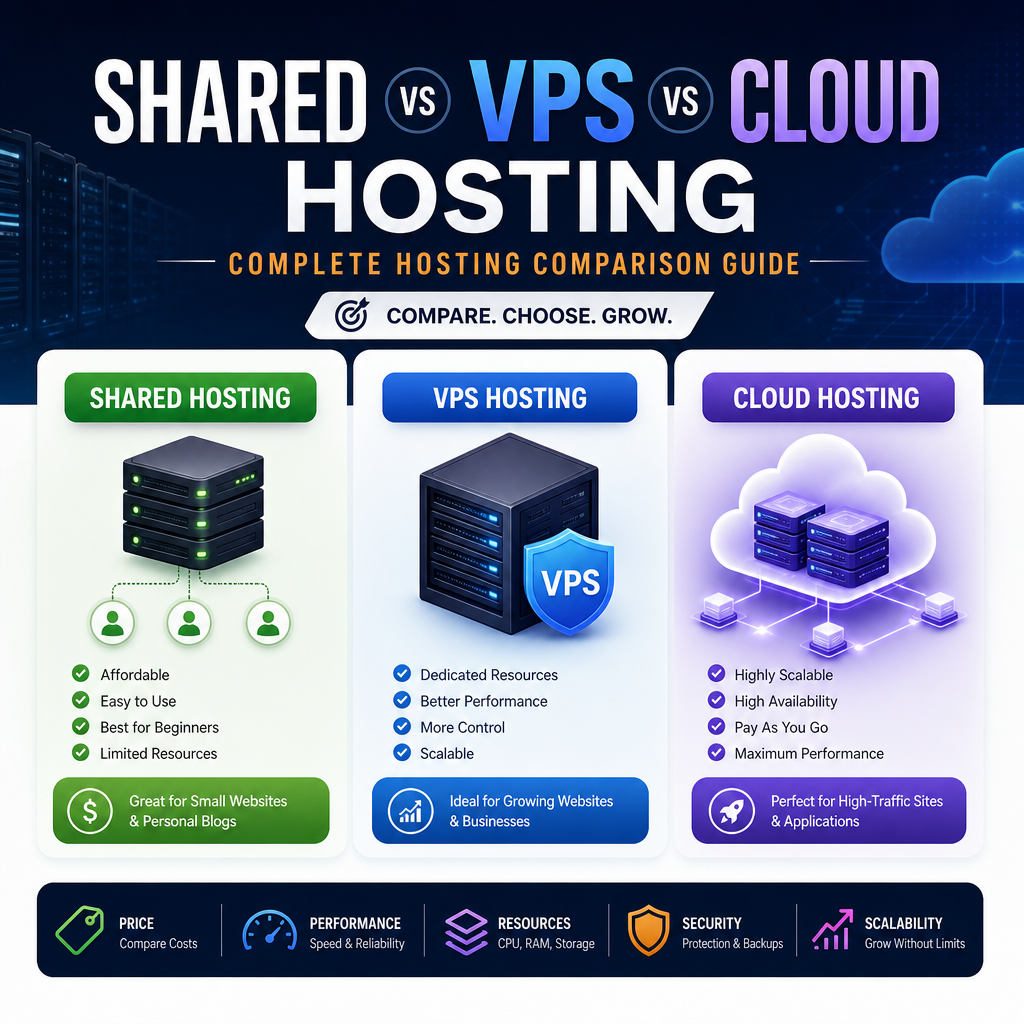
Shared vs VPS vs Cloud Hosting: A Practical Hosting Comparison
Choosing the right web hosting plan is one of the first major decisions you make when launching a website. It affects your site’s speed, uptime, security, scalability, and even how much time you spend managing technical issues. With so many options available, the most common choice often comes down to shared hosting, VPS hosting, and cloud hosting.
Each option has strengths and trade-offs. The best one for you depends on your budget, traffic expectations, technical skills, and how much flexibility you need. This hosting comparison will break down the differences in plain language so you can make a smarter decision.
What Is Shared Hosting?
Shared hosting is the most beginner-friendly and usually the most affordable type of hosting. In this setup, multiple websites are stored on the same physical server and share its resources, including CPU, RAM, and storage.
Think of it like renting a room in an apartment building. You have your own space, but you’re sharing the building’s utilities and infrastructure with other tenants.
How Shared Hosting Works
Your website lives on a server alongside many others. The hosting provider manages the server, installs software, handles security patches, and maintains the hardware. You typically get a control panel such as cPanel or a custom dashboard to manage your site.
Best For
Shared hosting is a good fit for:
- Personal blogs
- Small business websites
- Portfolio sites
- New websites with low traffic
- Users with little to no technical experience
Pros of Shared Hosting
- Low cost: Usually the cheapest option
- Easy to use: Great for beginners
- Maintenance included: The hosting provider handles server management
- Simple setup: Often includes one-click WordPress installation
Cons of Shared Hosting
- Limited performance: Resources are shared with other sites
- Less reliability: Another website’s traffic spike can affect your site
- Fewer customization options: You usually cannot configure server settings deeply
- Security concerns: While providers add protections, shared environments can have more exposure than isolated hosting types
Example Use Case
A local bakery wants a simple website with a menu, contact form, and a few photos. It does not expect much traffic beyond local visitors. Shared hosting is likely enough and keeps costs low.
What Is VPS Hosting?
VPS stands for Virtual Private Server. It gives you a dedicated slice of a physical server using virtualization technology. While the server is still shared at the hardware level, each VPS acts like its own independent environment with allocated resources.
This setup is like owning a condo in a larger building. You still share the overall structure, but your unit is separate, and you have more control over your space.
How VPS Hosting Works
A physical server is divided into multiple virtual servers. Each VPS gets its own operating system, CPU allocation, RAM, and storage. Your resources are not as affected by other websites as they are in shared hosting.
You may choose between:
- Managed VPS: The provider handles most technical tasks
- Unmanaged VPS: You are responsible for server administration
Best For
VPS hosting is ideal for:
- Growing business websites
- Medium-traffic blogs
- E-commerce stores
- Developers who need more server control
- Websites that have outgrown shared hosting
Pros of VPS Hosting
- Better performance: More consistent speed and resources
- Greater control: More customization of server settings
- Improved security isolation: Less affected by neighboring websites
- Scalable: Easier to increase resources as your site grows
Cons of VPS Hosting
- Higher cost than shared hosting: Still affordable, but more expensive
- More technical knowledge needed: Especially with unmanaged VPS
- Still limited by one physical machine: If the host server has issues, your site can still be affected
Example Use Case
An online clothing store receives steady traffic, runs a WordPress site with product pages, and needs better speed during sales campaigns. VPS hosting gives it more stability and control than shared hosting without jumping to a much larger infrastructure.
What Is Cloud Hosting?
Cloud hosting uses a network of connected servers rather than relying on a single physical machine. Your website can draw resources from multiple servers in the cloud environment, which improves flexibility and resilience.
If shared hosting is like renting one room and VPS is like a condo, cloud hosting is more like living in a connected network of homes that can share resources as needed. If one unit has a problem, others can step in.
How Cloud Hosting Works
Instead of hosting your site on one server, cloud hosting spreads your website data across multiple machines. This means if one server goes down, another can take over more easily. Resources can also be adjusted dynamically, depending on demand.
Cloud hosting may be offered in different forms:
- Managed cloud hosting: Provider handles most maintenance
- Self-managed cloud hosting: Requires more technical expertise
- Platform-based cloud hosting: Often optimized for specific applications like WordPress or e-commerce
Best For
Cloud hosting is a strong choice for:
- Fast-growing websites
- Online stores with changing traffic
- SaaS products and web apps
- Businesses needing high uptime
- Sites that expect traffic spikes
Pros of Cloud Hosting
- Highly scalable: Resources can grow or shrink as needed
- Better uptime: Less dependent on a single machine
- Flexible pricing options: Often pay for what you use
- Strong performance: Can handle traffic spikes well
Cons of Cloud Hosting
- Can become expensive: Especially with high usage
- Pricing may be less predictable: Usage-based billing can vary
- Complexity varies: Some cloud setups require technical knowledge
- Not all cloud hosting is the same: Quality and features differ widely among providers
Example Use Case
A news website publishes trending stories and experiences sudden traffic spikes when an article goes viral. Cloud hosting helps it scale quickly without crashing under the load.
Shared vs VPS vs Cloud Hosting: Key Differences
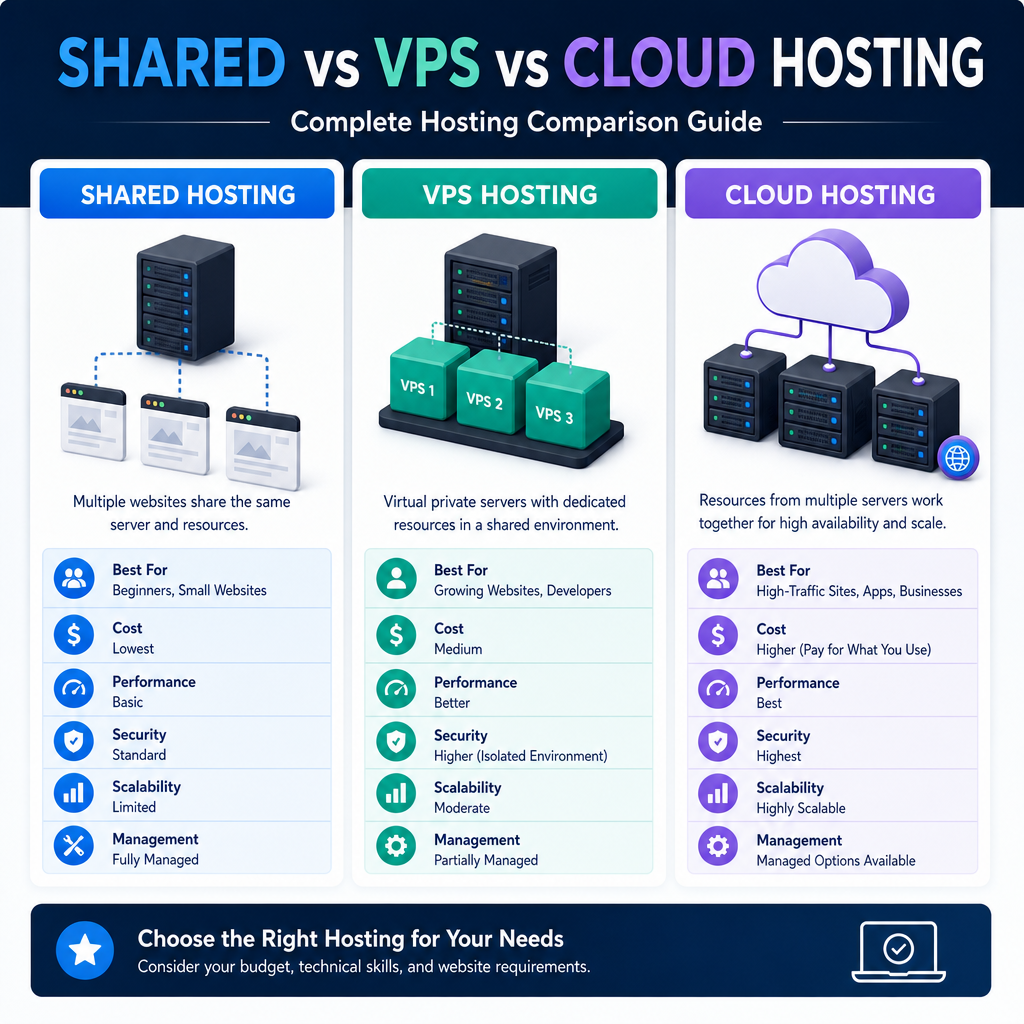
When comparing hosting types, it helps to look at a few core factors side by side. This hosting comparison shows where each option stands in terms of cost, performance, flexibility, and scaling.
1. Cost
- Shared hosting: Lowest cost
- VPS hosting: Moderate cost
- Cloud hosting: Variable, often moderate to high depending on usage
If budget is your biggest concern, shared hosting usually wins. If you need more power but still want value, VPS is often the middle ground. Cloud hosting can be cost-effective for scaling, but monthly bills may fluctuate.
2. Performance
- Shared hosting: Basic performance, can slow down under heavy load
- VPS hosting: Stronger and more consistent performance
- Cloud hosting: Often excellent, especially for traffic spikes
Performance matters most when your website has multiple plugins, larger databases, or growing traffic. Shared hosting is fine for light use, but VPS and cloud hosting are better for demanding websites.
3. Scalability
- Shared hosting: Limited scalability
- VPS hosting: Good scalability
- Cloud hosting: Excellent scalability
If your site is likely to grow quickly, cloud hosting is often the most flexible. VPS also scales well, but usually within the limits of a single server’s infrastructure. Shared hosting is the least flexible.
4. Control and Customization
- Shared hosting: Minimal control
- VPS hosting: High control
- Cloud hosting: High control, depending on setup
Developers and advanced users often prefer VPS or cloud hosting because they can install custom software, adjust server settings, and tune performance. Shared hosting is better if you want simplicity over control.
5. Reliability and Uptime
- Shared hosting: Most vulnerable to neighboring site issues
- VPS hosting: More reliable than shared hosting
- Cloud hosting: Typically the most resilient
Cloud hosting usually has an edge in uptime because it uses multiple servers. VPS is also reliable, but it still depends on one physical host. Shared hosting is the most likely to be affected by other accounts on the server.
6. Ease of Use
- Shared hosting: Easiest
- VPS hosting: Moderate
- Cloud hosting: Varies from easy to advanced
For first-time website owners, shared hosting is often the least intimidating. Managed VPS and managed cloud services can simplify things, but they still tend to be more complex than shared hosting.
Which Hosting Type Should You Choose?
The right choice depends on what your website needs right now and what you expect in the future.
Choose Shared Hosting If:
- You are launching a small website
- Your traffic is low or unpredictable
- You want the cheapest option
- You are new to website management
- You do not need advanced customization
Shared hosting is the best starting point for many beginners. It lets you launch quickly without a large investment.
Choose VPS Hosting If:
- Your website has grown beyond shared hosting
- You need better speed and stability
- You want more control over the server
- You run an online store or business website
- You have some technical comfort or want managed support
VPS hosting is often the sweet spot for users who need more resources without moving into a more complex cloud environment.
Choose Cloud Hosting If:
- You expect rapid growth
- Your traffic changes significantly over time
- Uptime is critical for your business
- You need a flexible, scalable environment
- You run a high-demand application or e-commerce store
Cloud hosting is especially useful for websites that cannot afford downtime or slowdowns during busy periods.
Real-World Scenarios
Here are a few practical examples to make this hosting comparison even clearer.
A Hobby Blogger
A writer starting a personal blog with a small audience does not need advanced hosting. Shared hosting is affordable and simple, making it a strong choice.
A Growing Online Store
An e-commerce site with hundreds of products and recurring traffic needs better performance and reliability. VPS hosting can provide the speed and flexibility it needs without the complexity of a full cloud architecture.
A Viral Content Site
A media site publishing trending content may see unpredictable bursts of traffic. Cloud hosting is often the best option because it can scale quickly and stay stable during spikes.
A Local Service Business
A plumbing company or law firm with a professional website, contact forms, and moderate traffic might start with shared hosting. If the site grows or includes booking tools and more content, upgrading to VPS later makes sense.
Common Myths About Hosting
Myth 1: Shared Hosting Is Always Bad
Shared hosting is not inherently bad. It is simply limited. For small sites, it works perfectly well and is often the most cost-effective option.
Myth 2: VPS Is Only for Experts
While unmanaged VPS does require more technical knowledge, many providers offer managed VPS plans that reduce the workload significantly.
Myth 3: Cloud Hosting Is Automatically Better
Cloud hosting is powerful, but not always necessary. If your website is small, cloud hosting may be overkill and more expensive than you need.
Myth 4: You Can Never Upgrade Later
Most websites start small and move to better hosting as traffic grows. It is common to begin with shared hosting and later upgrade to VPS or cloud hosting when the need arises.
Final Tips for Choosing the Right Plan
Before you commit to a hosting provider, ask these questions:
- How much traffic do I expect now?
- How fast do I expect my site to grow?
- Do I need advanced server control?
- What is my monthly budget?
- Do I want a simple setup or more flexibility?
- How important are uptime and speed for my site?
It also helps to look beyond the hosting type and compare actual provider features such as:
- Storage type and bandwidth
- Backup options
- Security tools
- Customer support quality
- Managed vs unmanaged plans
- Pricing after renewal
A plan that looks cheap at first may become expensive later if renewal rates jump or essential features are missing.
Conclusion
When it comes to shared vs VPS vs cloud hosting, there is no single best option for every website. Shared hosting is the most affordable and beginner-friendly. VPS hosting offers a strong balance of performance, control, and cost. Cloud hosting provides the best scalability and reliability for growing or high-traffic websites.
The right choice depends on your website’s current stage and future goals. For a small blog or basic business site, shared hosting may be enough. For a growing store or busy site, VPS can deliver the boost you need. For sites that demand flexibility, uptime, and quick scaling, cloud hosting is often the strongest solution.
A thoughtful hosting comparison now can save you time, money, and frustration later.
