

Website Redesign Checklist: What to Review Before You Relaunch
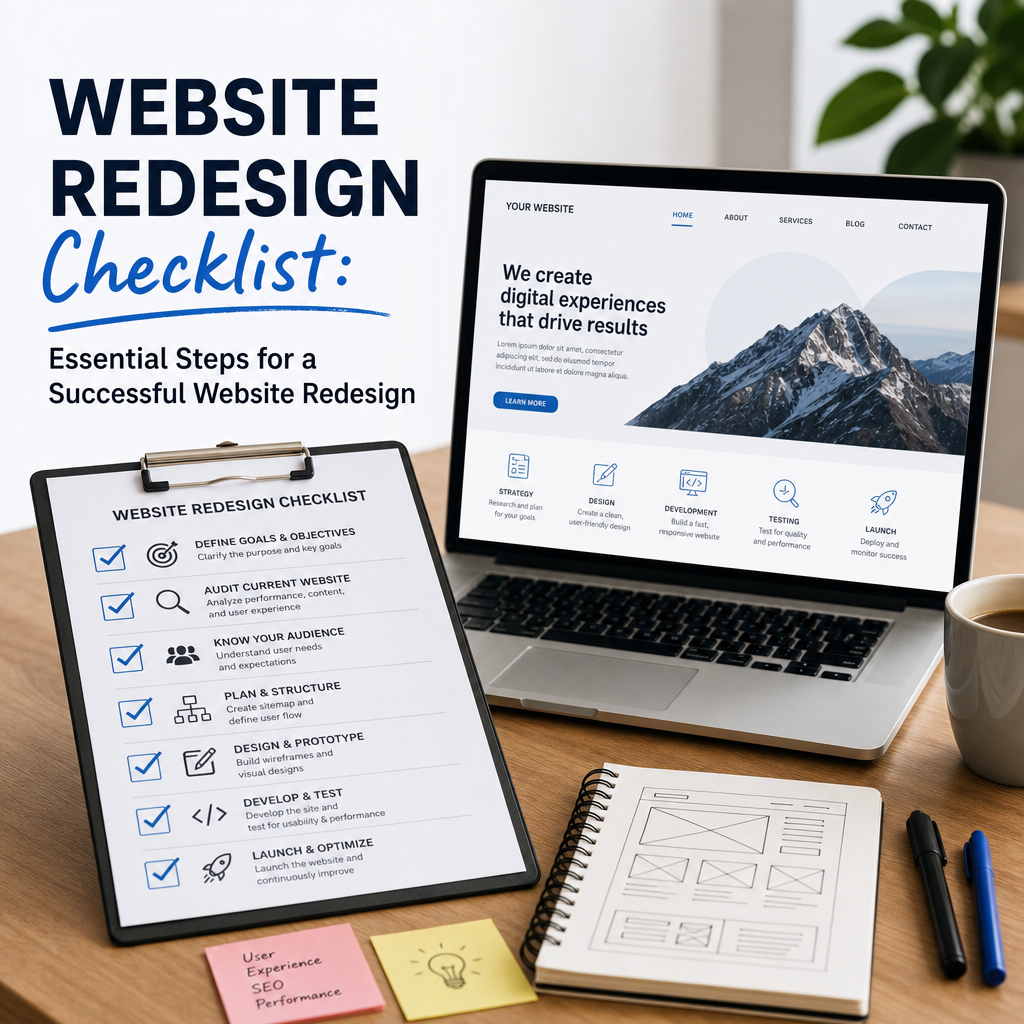
A successful website redesign is more than giving your site a new look. It is a strategic process that should improve user experience, strengthen branding, support SEO, and help your business achieve measurable goals. Without a clear plan, a redesign can quickly lead to broken pages, lost traffic, confused users, and lower conversions.
This website redesign checklist will help you stay organized from planning to launch. Whether you are updating a small business website or overhauling a large content-driven platform, the steps below will help you redesign with confidence and avoid common mistakes.
1. Define the Purpose of the Redesign
Before changing layouts, colors, or content, clarify why the redesign is happening in the first place. Every design decision should support a business goal.
Common goals for a website redesign
- Improve mobile experience
- Increase lead generation or sales
- Modernize the visual brand
- Reduce bounce rates
- Improve site speed
- Make navigation easier
- Refresh outdated content
- Strengthen SEO performance
Questions to ask
- What is not working with the current website?
- Which pages perform best and should be preserved?
- What actions do you want users to take?
- How will you measure redesign success?
For example, an e-commerce business may prioritize checkout performance and product page clarity, while a service business may focus on lead forms and trust signals. A clear purpose keeps the redesign from becoming a purely cosmetic project.
2. Audit the Current Website
A redesign should begin with a full review of your existing site. This helps you identify what should stay, what should change, and what should be removed.
Review these areas
- Page performance
- Top-performing content
- Low-performing pages
- Broken links
- Outdated branding
- Mobile usability
- Site speed
- Navigation structure
- Conversion paths
- SEO rankings and traffic
Useful audit questions
- Which pages bring in the most traffic?
- Which pages convert best?
- Where do users drop off?
- Are there duplicate or outdated pages?
- Are there technical issues affecting visibility?
For example, if a blog post brings in thousands of monthly visitors, you would want to preserve its URL, content value, and SEO signals during the redesign. Losing that asset could damage traffic after launch.
3. Research Your Audience
A website redesign should reflect user needs, not just internal opinions. Understanding your audience ensures the new site is useful, intuitive, and persuasive.
Gather audience insights
- Review analytics data
- Study heatmaps and session recordings
- Read customer feedback and support tickets
- Interview sales or service teams
- Analyze common search queries
- Survey current users
Learn what matters most
- What are users trying to accomplish?
- What questions do they ask before converting?
- What frustrates them on the current site?
- Which device do they use most?
- What content do they expect to find quickly?
For instance, if your audience primarily visits from mobile devices, the redesign must prioritize responsive layouts, readable text, and simplified navigation. If users often ask the same questions before contacting your team, those answers should be easier to find on the new site.
4. Map the Site Structure
One of the most important parts of a website redesign is organizing your content in a way that makes sense. A clear information architecture improves usability and helps search engines understand your site.
Build or review the sitemap
- List all existing pages
- Remove outdated or unnecessary content
- Group related pages logically
- Decide which pages need to be merged, updated, or archived
- Create a simple navigation structure
Keep navigation user-friendly
- Limit main menu items
- Use clear labels
- Prioritize important pages
- Add breadcrumbs where helpful
- Make footer links useful, not cluttered
Example structure
A marketing agency might organize the site into:
- Services
- Industries
- Case Studies
- About
- Blog
- Contact
This is much more effective than a menu with vague labels like “Solutions” or “Resources” if users cannot quickly understand what each section contains.
5. Preserve SEO During the Redesign
A redesign can affect rankings if SEO is not handled carefully. Search engines rely on stable URLs, content relevance, internal links, and technical signals. Protecting these elements should be a top priority.
SEO checklist items
- Export current ranking pages
- Keep high-value URLs when possible
- Set up 301 redirects for changed URLs
- Preserve title tags and meta descriptions where relevant
- Maintain internal linking structure
- Optimize page headings
- Check image alt text
- Improve page load speed
- Ensure mobile responsiveness
- Update XML sitemap and robots.txt if needed
Watch for common SEO mistakes
- Deleting pages without redirects
- Changing URL slugs unnecessarily
- Launching with missing metadata
- Accidentally blocking search engines
- Replacing keyword-rich content with thin copy
For example, if your highest-ranking service page changes from /seo-services/ to /search-engine-optimization/, you need a redirect to preserve link equity and avoid traffic loss.
6. Review and Refresh Content
Design and content should work together. A modern layout will not help if the copy is outdated, vague, or poorly structured.
Content to review
- Homepage messaging
- Service pages
- Product pages
- About page
- FAQs
- Blog posts
- Contact page copy
- Calls to action
What to improve
- Clearer headlines
- Shorter, more readable paragraphs
- Stronger benefits-focused messaging
- Updated statistics or facts
- Better alignment with user intent
- More persuasive calls to action
Example
Instead of saying:
“We provide innovative digital solutions for modern brands.”
Try:
“We help small businesses build fast, SEO-friendly websites that generate more leads.”
The second version is more specific, useful, and action-oriented.
7. Improve User Experience and Accessibility
A redesign should make the site easier for everyone to use. That means focusing on usability, accessibility, and clarity, not just appearance.
UX improvements to consider
- Faster navigation
- Clear page hierarchy
- Simple forms
- Obvious buttons and calls to action
- Less clutter
- Better spacing and readability
- Mobile-first design
Accessibility checklist
- Use sufficient color contrast
- Add alt text to images
- Ensure keyboard navigation works
- Label forms properly
- Use descriptive headings
- Avoid text embedded in images
- Test with screen readers where possible
Accessible design benefits everyone. A site that is easy to read and navigate usually performs better across devices and user types.
8. Update Branding and Visual Design
The visual side of a redesign should support your brand identity and help users trust your business. This includes color, typography, spacing, imagery, and layout consistency.
Visual elements to review
- Logo placement
- Brand colors
- Font choices
- Button styles
- Image quality
- Icon style
- White space
- Page consistency
Make sure the design reflects
- Your brand personality
- Your target audience
- Your level of professionalism
- The emotional tone of your business
For example, a law firm may need a polished, trustworthy design with clean structure and formal typography. A creative studio may use bolder visuals and more dynamic layouts. Either way, consistency matters more than trendy effects.
9. Check Technical Performance
A beautiful redesign can still fail if the site is slow or unstable. Technical performance affects user satisfaction, SEO, and conversion rates.
Technical tasks to review
- Compress images
- Minimize unnecessary scripts
- Test page speed
- Review hosting performance
- Fix broken links
- Check cross-browser compatibility
- Test forms and interactive elements
- Verify SSL and security settings
- Ensure backups are ready
Performance issues to avoid
- Oversized image files
- Too many plugins or third-party scripts
- Heavy animations that slow load times
- Unoptimized video embeds
- Poor mobile rendering
A slower site can increase bounce rates and reduce trust. Even a few seconds of delay can make a noticeable difference in results.
10. Test on Multiple Devices and Browsers
A redesign should look and function well everywhere users access it. Testing is essential before launch.
Test on
- Desktop computers
- Tablets
- Smartphones
- Chrome, Safari, Firefox, and Edge
- Different screen sizes and resolutions
Test key actions
- Menu navigation
- Contact forms
- Search functionality
- Checkout flow
- Button clicks
- Popups and banners
- Download links
- Video playback
Example
A homepage may look perfect on a large desktop monitor but have oversized headings or overlapping elements on mobile. Catching that early prevents poor user experiences after launch.
11. Prepare Redirects and Redirect Mapping
If your redesign changes URLs, a redirect plan is non-negotiable. Redirects tell both users and search engines where moved pages now live.
Redirect checklist
- Map old URLs to new ones
- Use 301 redirects for permanent changes
- Redirect removed pages to the closest relevant alternative
- Avoid redirect chains
- Test redirects before launch
Why this matters
Without redirects, visitors may land on broken pages and search engines may lose track of your content. This can lead to lost traffic, weaker rankings, and a frustrating user experience.
A simple spreadsheet with old URLs, new URLs, and redirect status can save a lot of problems later.
12. Set Up Analytics and Tracking
A redesign should be measured, not guessed at. Make sure analytics and conversion tracking are in place before launch so you can compare performance before and after.
Track key metrics
- Traffic
- Bounce rate
- Time on page
- Conversion rate
- Form submissions
- Click-through rates
- Scroll depth
- Revenue or lead value
Set up tracking for
- Google Analytics or other analytics tools
- Conversion events
- Button clicks
- Phone calls
- Contact form submissions
- E-commerce purchases
- Newsletter signups
Without reliable data, it is difficult to know whether the website redesign improved results or created new issues.
13. Create a Launch Plan
A redesign launch should be controlled and well documented. Rushing the process increases the chance of mistakes.
Launch checklist
- Review all pages one final time
- Test forms and key user flows
- Confirm redirects
- Back up the old site
- Check analytics and tag setup
- Verify SEO settings
- Notify the team of launch timing
- Monitor the site closely after launch
Best practice
Launch during a low-traffic time if possible, and keep key team members available in case issues appear. The first 24 to 72 hours after launch are critical for catching problems quickly.
14. Monitor the Site After Launch
A redesign does not end when the new site goes live. Post-launch monitoring helps you catch errors and optimize performance.
Check after launch
- Traffic changes
- Search rankings
- Broken links
- Redirect accuracy
- Form submissions
- Mobile behavior
- Page speed
- Conversion rate trends
- User feedback
Look for warning signs
- Sudden drop in organic traffic
- Missing pages
- 404 errors
- Lower conversion rates
- High bounce rates on key pages
A temporary decline in traffic is sometimes normal during search engine reindexing, but major drops often indicate technical or SEO issues that need immediate attention.
15. Evaluate the Results
Once the redesign has settled, compare results against the original goals. This is where you determine whether the project succeeded.
Review the redesign against:
- Lead volume
- Sales performance
- Traffic growth
- Bounce rate changes
- Search visibility
- Mobile engagement
- User feedback
- Task completion rate
Questions to ask
- Did the redesign solve the original problems?
- Are users finding what they need faster?
- Is the brand presentation stronger?
- Did conversions improve?
- What should be improved next?
A redesign is often the beginning of continuous optimization, not the final step.
Conclusion
A thoughtful website redesign can improve usability, strengthen your brand, and drive better business results. But the process works best when you approach it strategically. By auditing your current site, protecting SEO, improving content, testing thoroughly, and planning for launch and post-launch monitoring, you reduce risk and increase the chances of success.
Use this website redesign checklist as a practical guide for your next project, and you will be much better prepared to launch a site that looks better, works better, and performs better.
