
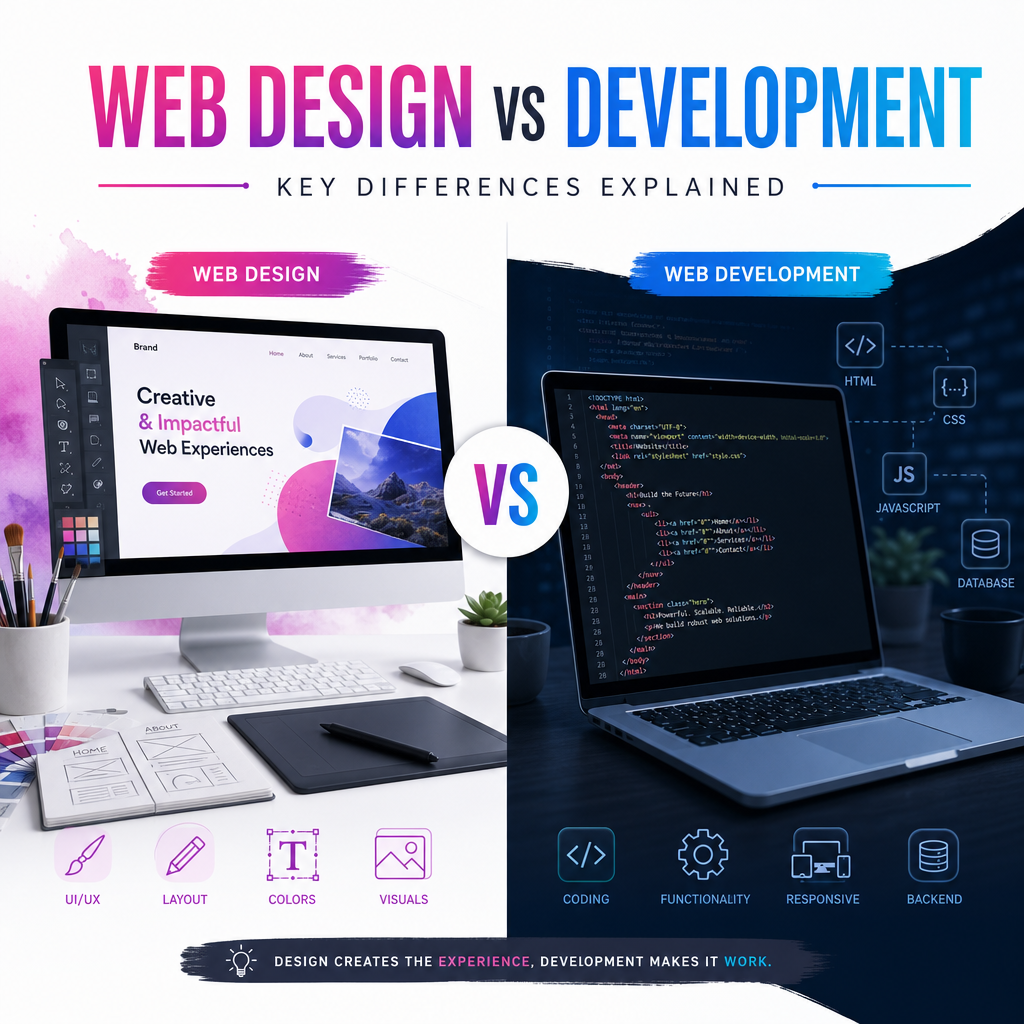
Website Design vs Web Development: What’s the Difference?
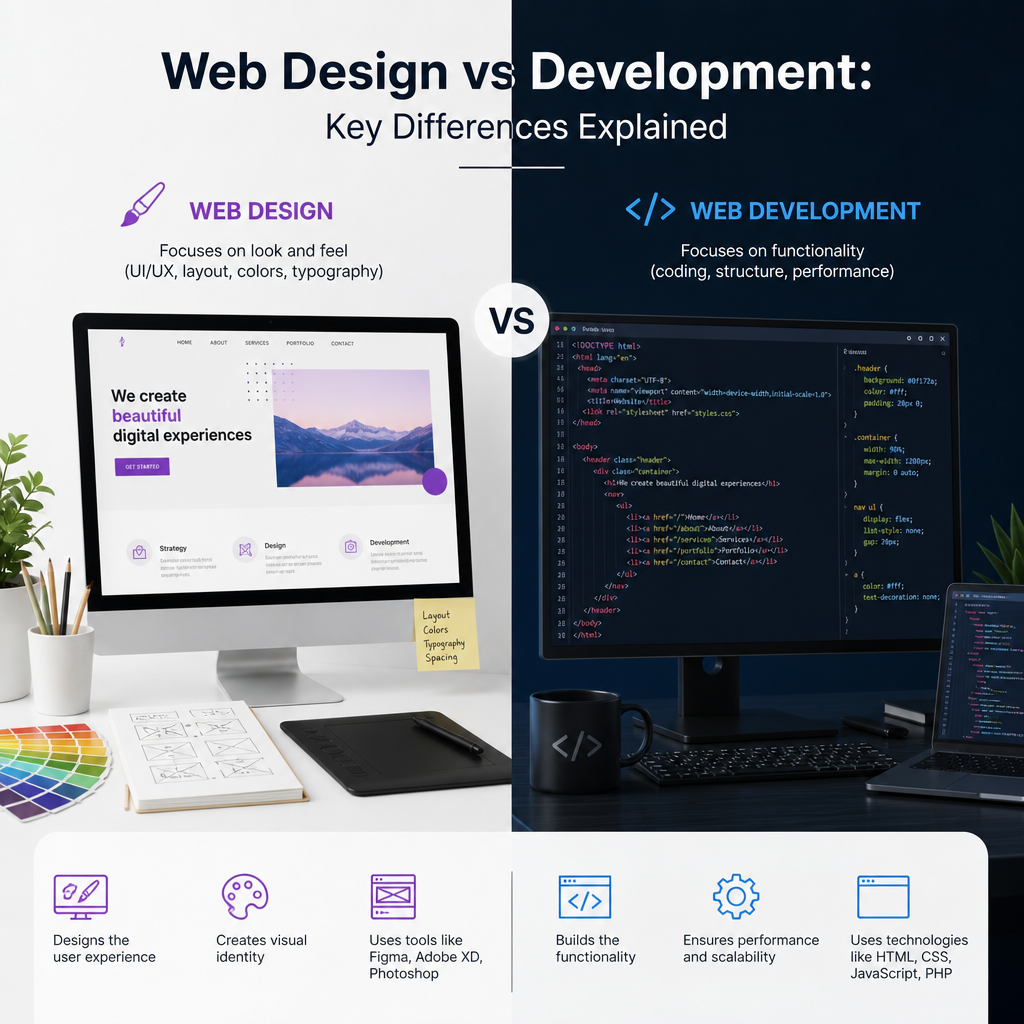
If you’re planning a new website, you’ll quickly run into the phrase web design vs development. At first glance, the two terms may seem interchangeable. After all, both are essential to building a website that looks good and works well. But in reality, they refer to two different disciplines with different goals, tools, and skill sets.
Understanding the difference between website design and web development can help you make better decisions for your business, choose the right professionals, and avoid confusion during the project. It also helps you communicate more clearly about what you want your website to do and how you want it to appear.
In this article, we’ll break down the differences between web design and web development, explain how they work together, and show why both are important for a successful website.
What Is Website Design?
Website design is the process of planning and creating the visual and user-facing parts of a website. It focuses on how the site looks, feels, and guides users through the content.
A web designer is concerned with elements such as:
- Layout and page structure
- Colors and typography
- Branding and visual identity
- Images, icons, and spacing
- User experience (UX)
- Navigation and content presentation
The goal of website design is not just to make a site attractive. It’s also to make it easy to use, intuitive, and aligned with the brand’s message.
Example of Website Design in Action
Imagine visiting a bakery’s website. The designer decides to use warm colors, soft fonts, and large photos of fresh pastries. The homepage includes a clear menu, a “Order Now” button, and sections that highlight the bakery’s best-selling items. All of these choices are part of the design process.
The designer’s job is to make sure the website feels right for the audience and encourages visitors to stay, explore, and take action.
What Is Web Development?
Web development is the process of building and maintaining the technical structure of a website. While design focuses on appearance and usability, development focuses on how the website works behind the scenes.
A web developer writes the code that powers the website and makes interactive features function properly. Developers often work with programming languages and tools such as:
- HTML
- CSS
- JavaScript
- PHP
- Python
- Content management systems like WordPress
- Databases and APIs
Web development is often divided into three main areas:
Front-End Development
Front-end development involves the part of the website users see and interact with directly. Developers turn design files into real web pages and make sure layouts work across devices and browsers.
Examples of front-end work include:
- Building responsive page layouts
- Creating buttons, menus, and forms
- Adding animations or interactive elements
- Ensuring pages load and display correctly on mobile and desktop
Back-End Development
Back-end development handles the server-side logic that users don’t see. This includes databases, user accounts, content storage, security, and application functionality.
Examples of back-end work include:
- Processing form submissions
- Managing login systems
- Connecting the site to a database
- Powering e-commerce shopping carts
- Handling content updates in a CMS
Full-Stack Development
A full-stack developer works on both front-end and back-end tasks. They understand how the visual interface and technical infrastructure connect to create a complete website.
Web Design vs Development: The Key Differences
When comparing web design vs development, the easiest way to understand the difference is to think of building a house.
- The designer is like the architect and interior designer, deciding the layout, look, and feel.
- The developer is like the builder and engineer, making sure the structure stands and the systems work properly.
Here are the main differences between the two:
1. Focus
- Web design focuses on appearance, branding, and user experience.
- Web development focuses on functionality, performance, and technical implementation.
2. Tools
- Web designers often use tools like Figma, Adobe XD, Photoshop, or Sketch.
- Web developers use code editors, frameworks, testing tools, and CMS platforms.
3. Skills
- Designers need a strong eye for visual composition, typography, and user behavior.
- Developers need programming knowledge, logic, and problem-solving skills.
4. Output
- Designers usually create mockups, wireframes, and visual prototypes.
- Developers create the actual website code and working features.
5. User Interaction
- Design shapes how users experience the site visually and emotionally.
- Development makes sure buttons, forms, menus, and other interactive elements function correctly.
How Web Design and Development Work Together
A successful website usually depends on both design and development. One without the other is incomplete.
A beautifully designed website with poor development may look great but load slowly, break on mobile devices, or fail to process orders correctly. On the other hand, a technically strong website with weak design may work fine but feel outdated, confusing, or untrustworthy to visitors.
The Collaboration Process
In a typical project, the process may look like this:
-
Discovery and planning
The team defines goals, audience, and website requirements. -
Wireframing and design
The designer creates the layout and visual direction. -
Development
The developer builds the site based on the approved design. -
Testing
The team checks the site for bugs, speed issues, and responsiveness. -
Launch and maintenance
The website goes live and is updated over time.
Both roles influence the final product. Designers create the experience, and developers make that experience real.
Why Website Design Matters
Good design does more than make a website look professional. It affects how visitors perceive the brand and how easily they can find what they need.
First Impressions Count
People often judge a website within seconds. If a site looks cluttered or outdated, visitors may leave before reading a single word. Clean, thoughtful design builds trust and encourages people to keep browsing.
Design Improves Usability
A well-designed site helps users navigate with confidence. Clear menus, readable text, consistent spacing, and strong visual hierarchy all make it easier for people to find information quickly.
Design Supports Conversions
Good design guides users toward actions like:
- Making a purchase
- Filling out a contact form
- Signing up for a newsletter
- Booking a consultation
For example, a landing page with a clear headline, strong call-to-action button, and minimal distractions is more likely to convert visitors than a page with too much clutter.
Why Web Development Matters
Even the best design will fail if the website doesn’t function properly. Development is what brings the website to life and ensures it performs reliably.
Development Makes the Site Functional
A developer turns static visuals into an interactive experience. This includes features like:
- Contact forms
- Search functions
- User logins
- Shopping carts
- Dynamic content updates
Without development, a website would just be a collection of images and text.
Development Affects Speed and Performance
A website needs to load quickly and run smoothly. Developers optimize code, compress files, and use technical best practices to improve speed. This is important for both user experience and search engine rankings.
Development Supports Security and Scalability
As your website grows, it needs to remain secure and flexible. Developers help protect against threats, fix bugs, and build systems that can handle more traffic, more content, and more features over time.
Common Misconceptions About Web Design vs Development
There are several myths that can create confusion when discussing web design vs development.
“Web design is only about making things pretty”
This is not true. Good design is about solving problems, improving usability, and guiding user behavior. A designer must think strategically, not just visually.
“Web development is only about coding”
While coding is central to development, developers also think about structure, user flow, site performance, and how features work together. Development is both technical and strategic.
“One person can do everything”
Some people can handle both design and development, especially in smaller projects. But the two fields require different strengths. On larger projects, having both a designer and a developer often leads to better results.
“Design comes after development”
In many successful projects, design comes first or at least early in the process. It’s much easier to build a website when the look and structure have been planned ahead of time.
Which One Do You Need?
The answer depends on your goals.
You may need website design if:
- You want to improve the look of your current site
- Your branding is outdated or inconsistent
- Visitors find your site confusing or hard to navigate
- You need help planning the structure and user experience
You may need web development if:
- Your site needs new features or custom functionality
- Forms, payments, or logins are not working correctly
- You want a faster, more responsive website
- You need technical help with a CMS like WordPress
You likely need both if:
- You’re building a new website from scratch
- You want a custom site that reflects your brand and works smoothly
- You’re redesigning an existing site for better results
For most businesses, design and development go hand in hand. A good website should look professional and perform reliably.
Examples of Web Design and Development in Practice
To make the difference clearer, here are a few real-world scenarios.
Example 1: Business Website
A consulting firm wants a website that feels modern and trustworthy. The designer creates a clean layout with strong branding, simple navigation, and clear calls to action. The developer then builds the site, connects the contact form, ensures it works on mobile, and optimizes loading speed.
Example 2: E-Commerce Store
An online store needs product pages, shopping cart functionality, payment processing, and a smooth checkout experience. The designer focuses on product presentation, navigation, and user flow. The developer builds the product database, integrates the payment gateway, and makes sure the checkout process works securely.
Example 3: Portfolio Website
A freelance photographer wants to showcase images beautifully. The designer chooses a visual layout with full-screen galleries and minimal distractions. The developer makes the galleries responsive, adds image optimization, and ensures the site performs well on different devices.
In each case, design shapes the experience and development makes it work.
The Best Websites Blend Both Disciplines
The most effective websites are not just designed well or built well. They are both.
A site with strong design and solid development will:
- Load quickly
- Look polished
- Work across devices
- Guide users clearly
- Support business goals
- Make updates easier in the future
This is why web design and development should be seen as complementary, not competing roles. Good design without development is incomplete. Good development without design is hard to use. Together, they create a website that does its job effectively.
Conclusion
When comparing web design vs development, the biggest difference is simple: design shapes how a website looks and feels, while development makes it function. Designers focus on visuals, branding, and user experience. Developers focus on coding, features, performance, and technical reliability.
Both are essential. If you want a website that attracts visitors, builds trust, and supports your goals, you need a strong design and a skilled development process working together. Understanding the difference helps you plan better, communicate clearly, and create a website that truly works.
