
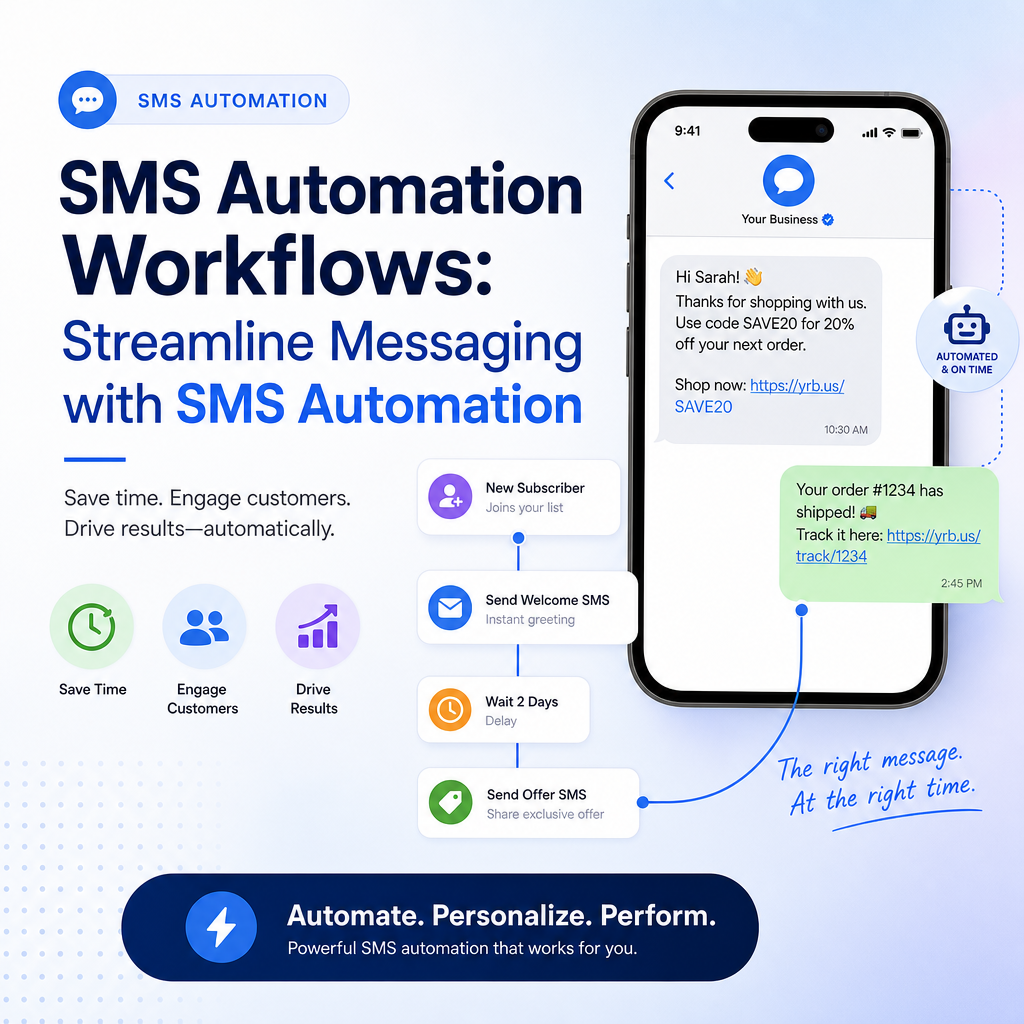
SMS Automation Workflows: A Practical Guide to Better Customer Communication
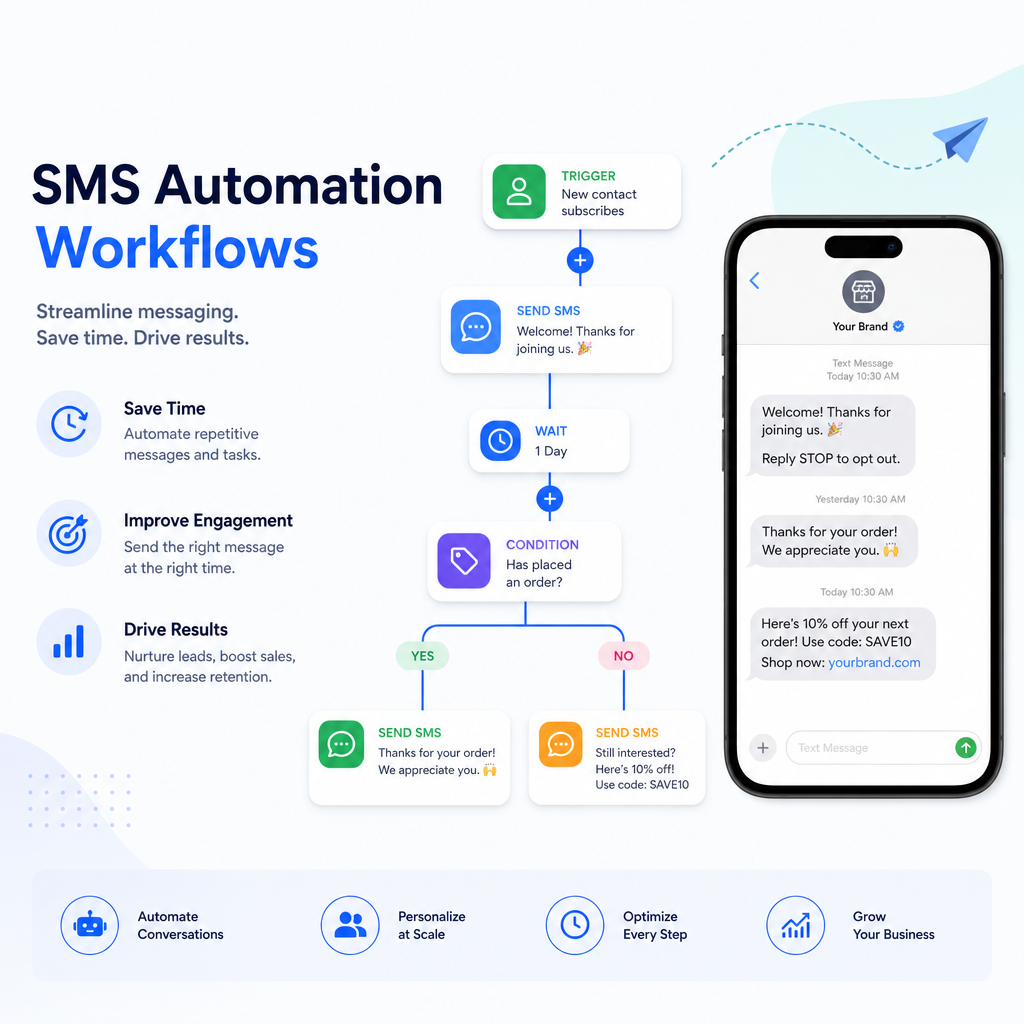
SMS automation workflows help businesses send timely, relevant text messages without manually writing and sending every message. When done well, these workflows can improve customer experience, reduce response times, increase conversions, and free up your team to focus on higher-value work.
Because text messages are fast, personal, and widely read, SMS automation has become a powerful tool for sales, support, marketing, and operations. The key is not simply sending more texts, but building smart workflows that deliver the right message at the right moment.
In this guide, we’ll break down what SMS automation workflows are, why they matter, the most effective use cases, and how to build one that works for your business.
What Are SMS Automation Workflows?
An SMS automation workflow is a pre-built sequence of text messages triggered by a specific action, event, or time delay.
For example:
- A customer signs up for your newsletter and receives a welcome text.
- A patient books an appointment and gets a confirmation plus reminder.
- A shopper abandons their cart and receives a follow-up offer.
- A lead requests more information and gets a series of educational messages.
Instead of sending these messages manually, the workflow runs automatically based on rules you define. That means your messaging stays consistent, timely, and scalable.
SMS automation can be simple, like one reminder text, or more advanced, like a multi-step journey based on customer behavior.
Why SMS Automation Matters
Text messages have some of the highest open rates of any communication channel. People usually read them within minutes. That makes SMS ideal for time-sensitive updates and short, actionable messages.
Here are a few reasons businesses invest in sms automation:
Faster customer engagement
A timely text often gets attention faster than email or social media. This is especially useful for confirmations, reminders, and urgent updates.
Better consistency
Automation ensures every customer gets the same experience. No one is forgotten, and messages are delivered exactly when they should be.
Lower manual workload
Your team doesn’t need to send repetitive texts one by one. This saves time and reduces human error.
Improved conversion rates
Automated follow-ups can bring customers back to abandoned carts, encourage appointments, or move leads further down the funnel.
More personalized communication
When workflows use customer data, they can feel highly relevant. A message that references a purchase, appointment, or signup feels much more useful than a generic blast.
Common SMS Automation Workflow Examples
Different businesses use SMS automation in different ways, but some workflows are especially common and effective.
1. Welcome messages
A welcome workflow is often the first SMS automation a business creates. When someone subscribes, signs up, or creates an account, they receive a friendly introductory text.
Example:
Hi Jordan, thanks for joining GreenFit! We’ll send weekly workout tips and special offers. Reply HELP if you need anything.
This type of message sets expectations and starts the relationship positively.
2. Appointment reminders
Service businesses, clinics, salons, and consultants often use sms automation to reduce no-shows.
Example workflow:
- Confirmation text immediately after booking
- Reminder text 24 hours before the appointment
- Final reminder text 2 hours before the appointment
These reminders improve attendance and can include links to reschedule or confirm.
3. Abandoned cart follow-up
For ecommerce businesses, abandoned cart SMS automation can recover lost sales. If a customer adds items to their cart but doesn’t complete checkout, a message can remind them to return.
Example:
Your cart is waiting at BrightHome. Finish checkout now and enjoy free shipping on your order today.
This kind of workflow works best when it’s helpful, not pushy.
4. Lead nurturing
When someone fills out a form, requests a quote, or downloads a resource, SMS can help nurture the lead through short, helpful follow-ups.
Example sequence:
- Immediate thank-you text
- Follow-up with useful information
- Reminder to book a call or ask questions
This is especially effective when paired with email, phone, or chatbot workflows.
5. Order and shipping updates
Customers want to know what’s happening with their purchase. Automated texts can keep them informed from order confirmation to delivery.
Example:
Good news, your order #45291 has shipped. Track your package here: [link]
These messages reduce support questions and improve customer confidence.
6. Customer support notifications
SMS automation can also improve support experiences. You can use it to confirm ticket creation, notify customers of updates, or request feedback after an issue is resolved.
7. Re-engagement campaigns
If a customer has not interacted in a while, a workflow can bring them back with a reminder, incentive, or helpful update.
Example:
We miss you at StudioLine! Come back this week and get 15% off your next visit.
How SMS Automation Workflows Are Built
Most sms automation systems follow a simple pattern:
- Trigger – Something happens, such as a signup, purchase, or missed appointment.
- Conditions – Rules determine who should receive the message and when.
- Message – The system sends the text based on the workflow logic.
- Delay – You can schedule follow-ups minutes, hours, or days later.
- Branching – Different responses or actions happen based on customer behavior.
For example, if someone clicks a link in a reminder text, they may receive a confirmation message. If they don’t respond, they may receive a second reminder.
The more advanced your workflow, the more it can adapt to customer behavior. But even a simple automation can deliver strong results.
Best Practices for SMS Automation
To get the most from sms automation, focus on relevance, clarity, and timing. Text messages are personal, so customers expect them to be useful.
Keep it short and clear
SMS is not the place for long explanations. Get to the point quickly and include one clear action.
Good example:
Your appointment is tomorrow at 3:00 PM. Reply YES to confirm or RESCHEDULE for options.
Weak example:
Just reaching out to remind you of your upcoming appointment. Please let us know if there is anything we can help you with.
The first message is direct and actionable.
Send messages at the right time
Timing matters. A message sent too early, too late, or too often can feel intrusive. Consider the customer journey and local time zones.
Personalize when possible
Use names, order details, appointment times, or relevant product recommendations to make the message feel tailored.
Avoid message overload
Too many texts can frustrate customers and increase opt-outs. Focus on valuable moments rather than every possible touchpoint.
Make opt-out easy
Every SMS workflow should include an obvious way to unsubscribe or stop messages. This builds trust and helps keep your list healthy.
Test before scaling
Try different versions of your message, timing, and calls to action. Even small changes can improve response rates.
Designing Effective SMS Automation Workflows
A strong workflow starts with a clear goal. Before setting up any automation, ask what you want the text sequence to achieve.
Step 1: Define the objective
Are you trying to reduce no-shows, increase sales, support customers, or re-engage inactive users? Each goal needs a different workflow.
Step 2: Identify the trigger
The trigger is the event that starts the automation. Common triggers include:
- Form submission
- New purchase
- Cart abandonment
- Booking confirmation
- Inactivity after a set period
Step 3: Map the customer journey
Think about what the customer needs at each stage. A new lead may need education, while a customer after purchase may need shipping updates or review requests.
Step 4: Write the messages
Each text should have one purpose. Focus on clarity, value, and a single next step.
Step 5: Set timing and delays
Decide when each message should be sent. Some workflows work best instantly, while others need a delay.
Step 6: Add branching logic
If your platform supports it, create paths based on customer actions. For example:
- If they respond, send a confirmation
- If they don’t respond, send a reminder
- If they click, move them to the next stage
Step 7: Measure results
Track performance so you can improve the workflow over time.
Metrics to Track in SMS Automation
To know whether your sms automation is working, measure the right metrics. Common ones include:
- Delivery rate – How many messages were successfully delivered
- Open/read rate – How many people viewed the message
- Click-through rate – How many clicked links
- Response rate – How many replied
- Conversion rate – How many completed the desired action
- Opt-out rate – How many unsubscribed
- No-show reduction – Helpful for appointment reminders
- Revenue recovered – Useful for cart abandonment workflows
These numbers show not just whether messages are being sent, but whether they are driving meaningful actions.
Common Mistakes to Avoid
Even a well-intentioned workflow can fall flat if it ignores the customer experience. Here are some common mistakes.
Sending generic messages
A bland, one-size-fits-all text can feel spammy. Use available data to make messages more relevant.
Over-automating the relationship
Automation should support human interaction, not replace it entirely. Customers still need access to real support when needed.
Poor timing
A reminder at the wrong time can annoy customers instead of helping them. Think carefully about time zones, frequency, and context.
Weak calls to action
If the customer doesn’t know what to do next, the message loses impact. Make the next step obvious.
Forgetting compliance
SMS marketing often comes with legal requirements around consent, identification, and opt-outs. Make sure your workflows comply with the rules in your region.
SMS Automation in Action: A Simple Example
Let’s say a local dental clinic wants to reduce missed appointments. Here’s a basic sms automation workflow:
-
Booking confirmed
- Text: “Thanks for booking with River Dental. Your appointment is set for March 12 at 10:30 AM.”
-
Reminder 24 hours before
- Text: “Reminder: Your appointment with River Dental is tomorrow at 10:30 AM. Reply YES to confirm or CALL to reschedule.”
-
Reminder 2 hours before
- Text: “We’ll see you soon at River Dental at 10:30 AM today. Call us if you need directions or help.”
-
Follow-up after appointment
- Text: “Thanks for visiting River Dental. We’d love your feedback: [link]”
This workflow is simple but effective. It reduces no-shows, keeps patients informed, and encourages feedback.
The Future of SMS Automation
SMS automation continues to evolve as businesses connect text messaging with customer data, AI, and multichannel marketing. Workflows are becoming smarter, more adaptive, and more personalized.
In the future, expect to see:
- More behavior-based branching
- Deeper integration with CRM platforms
- AI-assisted message optimization
- Better personalization based on customer history
- Seamless coordination between SMS, email, and chat
Even as technology improves, the core principle stays the same: send the right message at the right time.
Conclusion
SMS automation workflows give businesses a simple way to communicate more effectively at scale. Whether you’re welcoming new subscribers, reminding customers about appointments, recovering abandoned carts, or following up after a purchase, sms automation can save time and improve results.
The best workflows are focused, timely, and customer-friendly. They deliver value without overwhelming people, and they make it easy for customers to take the next step.
If you build your workflows around clear goals, useful messages, and strong timing, SMS automation can become one of the most efficient tools in your communication strategy.
